ESP32 Smart Presence Detection
Using WiFi RSSI and Machine Learning for camera-free room occupancy monitoring
Project Overview
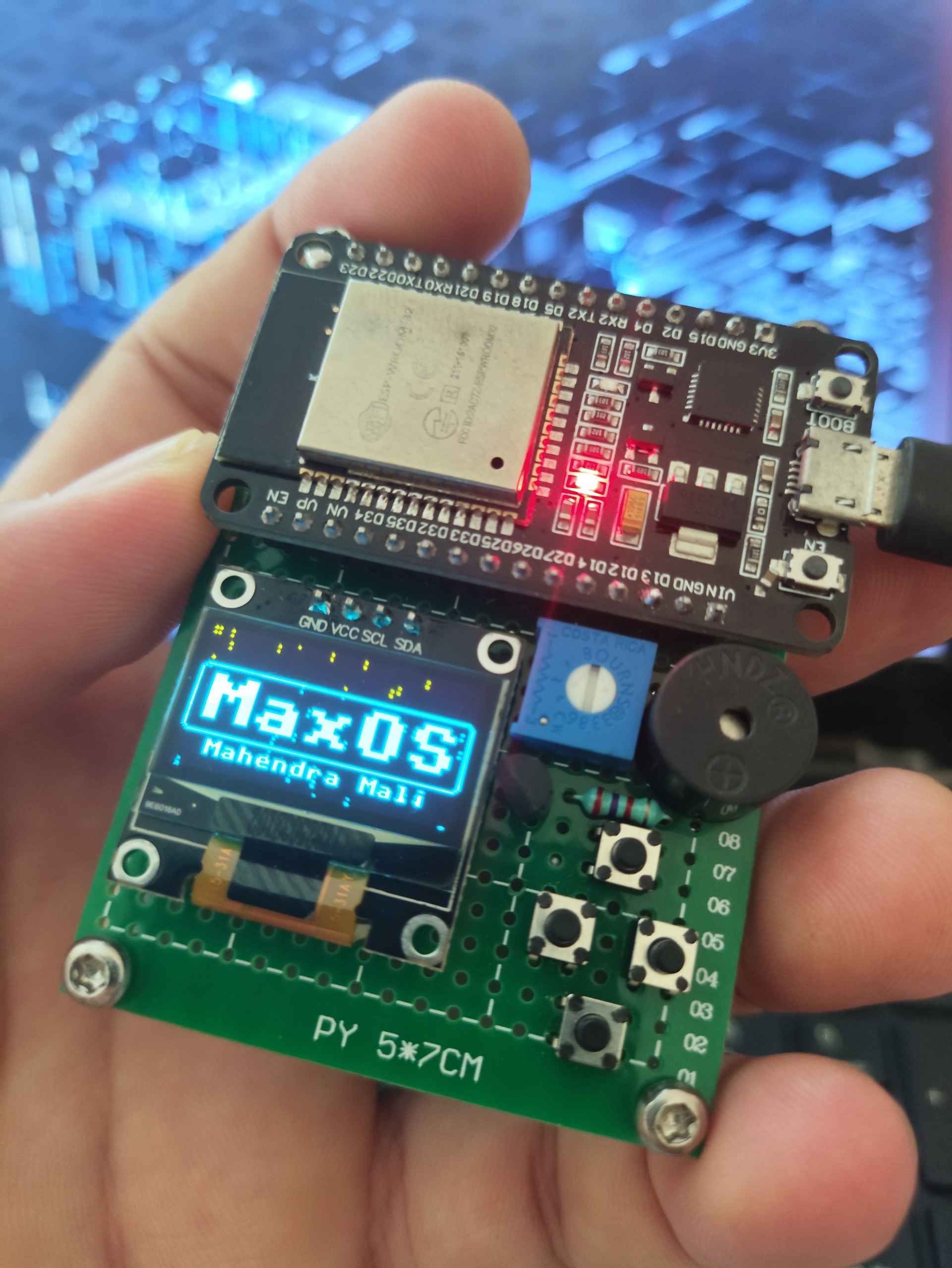
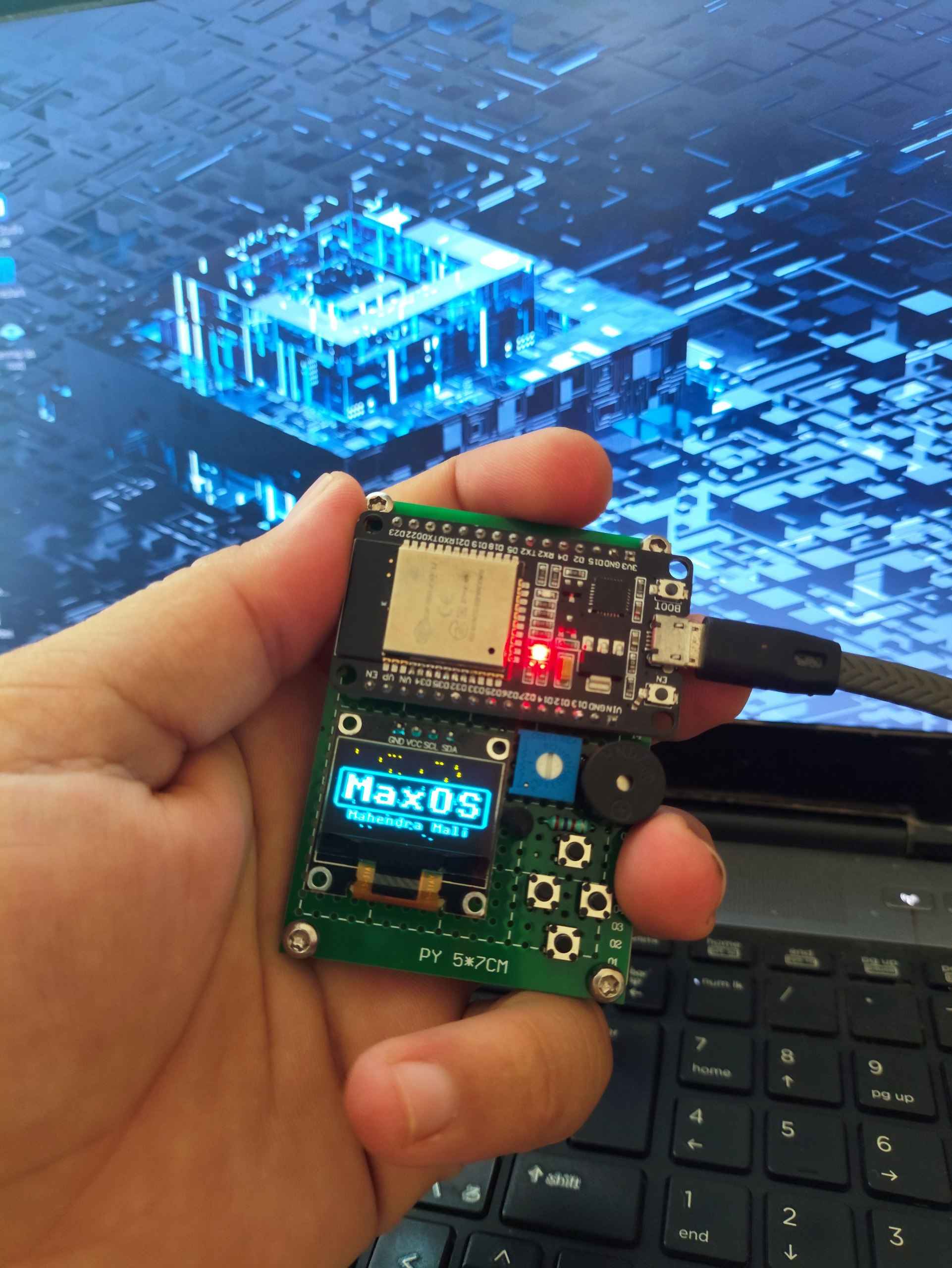
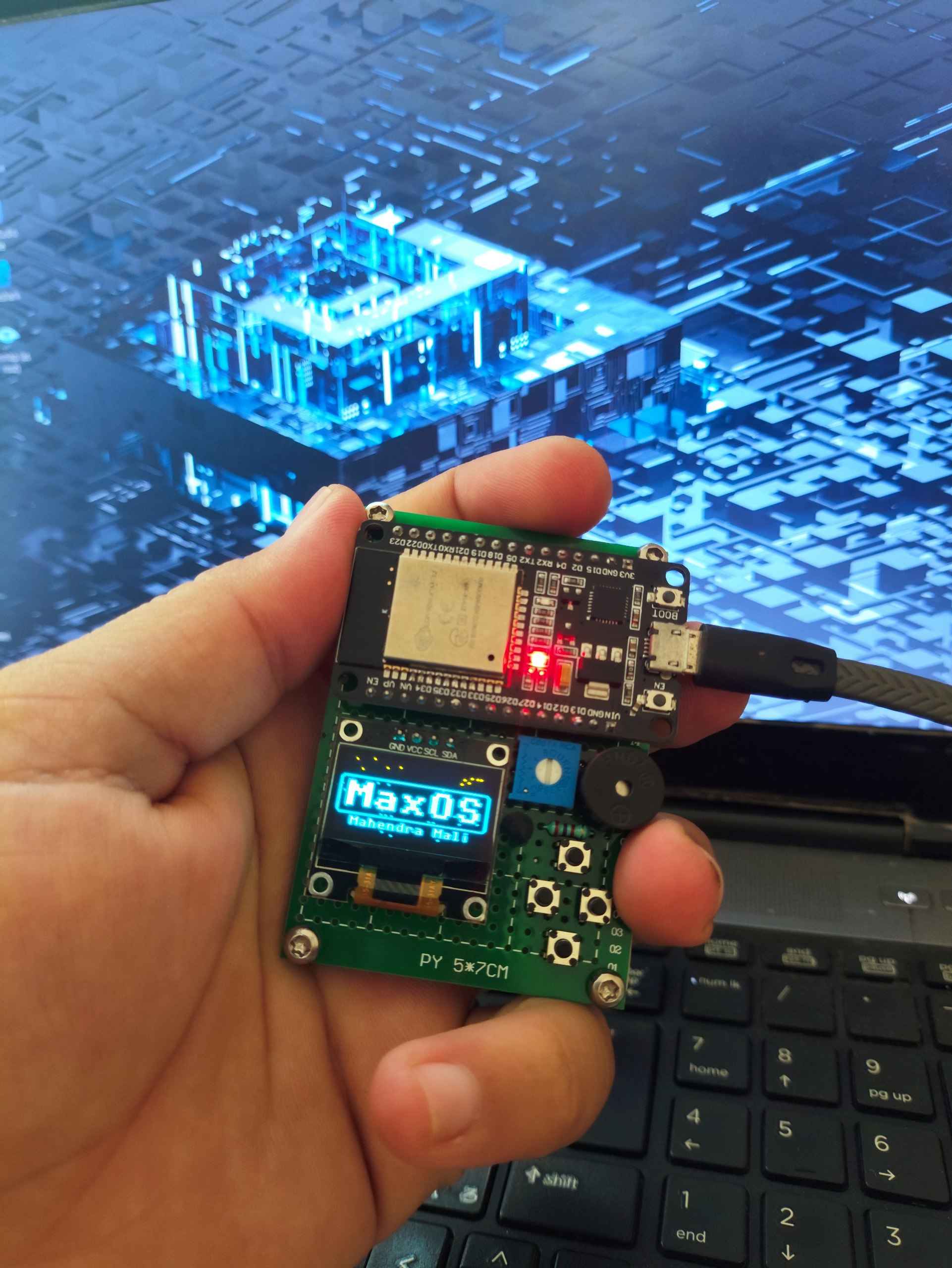
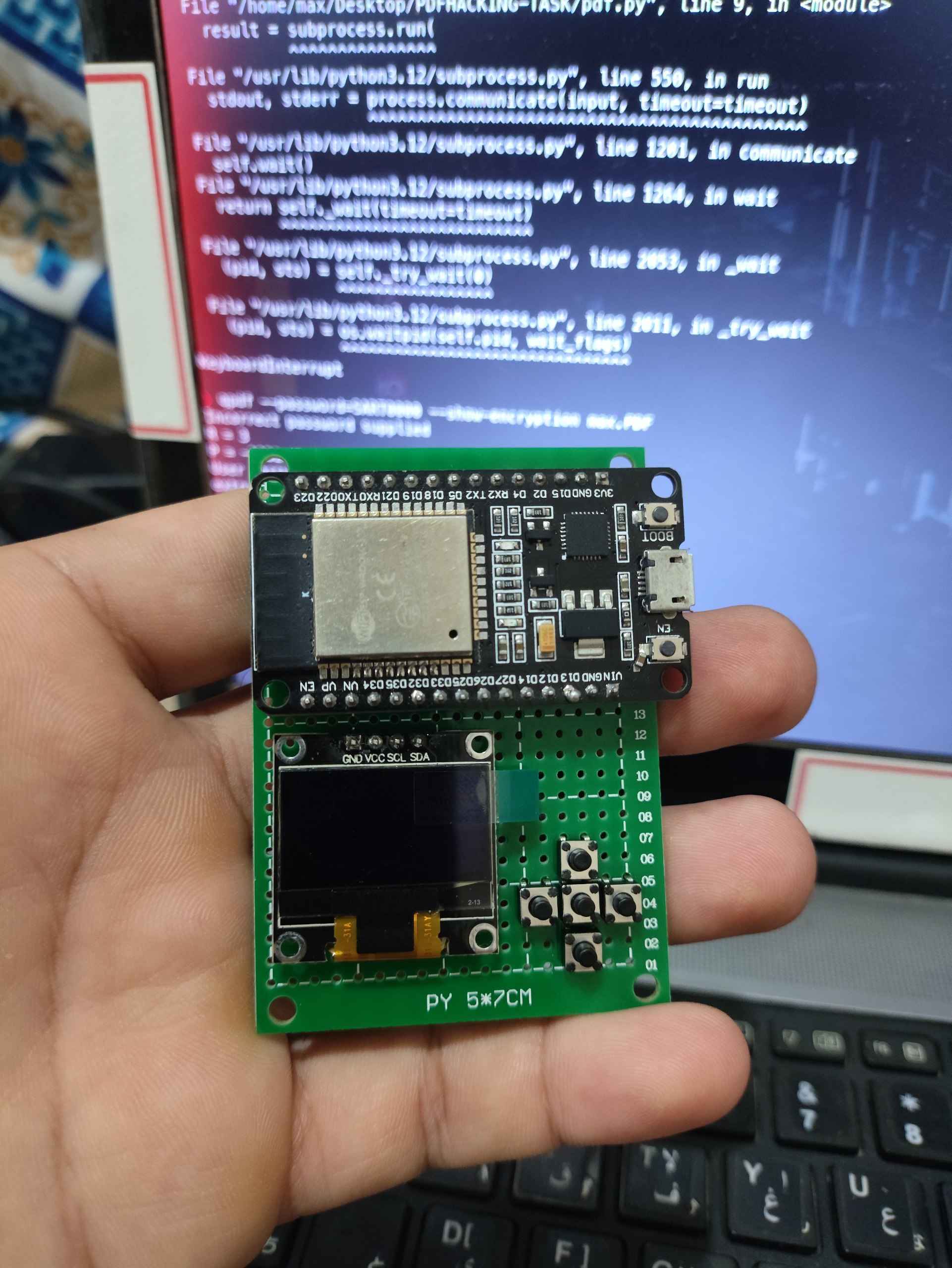
This innovative project detects human presence in a room using WiFi signal strength (RSSI) and machine learning. It runs entirely on an ESP32 microcontroller with MicroPython, featuring an OLED display, buzzer, and SD card for real-time alerts and data logging - all without cameras for complete privacy.
Passive Detection
Uses existing WiFi signals to detect human presence without emitting any signals or requiring cameras.
Machine Learning
Implements trained models directly on the ESP32 to distinguish between empty and occupied rooms.
Real-time Alerts
Provides immediate visual (OLED) and audible (buzzer) alerts when presence is detected.
Data Logging
Records all detection events to SD card for later analysis in CSV format.
ESP32 Powered
Runs entirely on low-cost ESP32 hardware with MicroPython for easy development.
Privacy Focused
No cameras or personal data collection - only WiFi signal strength measurements.
Hardware Components
The system uses common, low-cost components that are easy to source and assemble:
| Component | Description | Purpose |
|---|---|---|
| ESP32 Dev Board | WiFi-enabled microcontroller | Main processing unit with built-in WiFi |
| OLED Display | SSD1306 (128x64) | Real-time status display |
| Buzzer | PWM-controlled | Audible alerts for presence detection |
| Buttons | Tactile switches | User interface controls (select/back) |
| SD Card Module | SPI interface | Data logging storage |
| Power Supply | 5V USB or battery | System power |

How It Works
The system operates through a carefully designed workflow that combines hardware sensing with machine learning:
Data Collection Phase
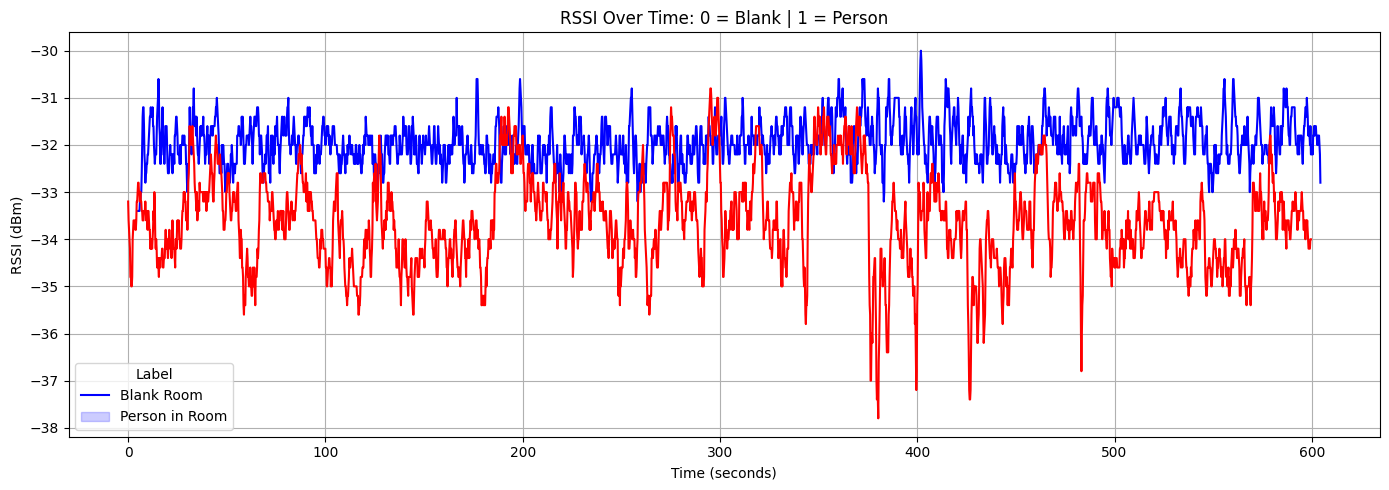
The ESP32 continuously scans for nearby WiFi networks and records their signal strength (RSSI) under two scenarios:
- When the room is empty (
blankroom.csv) - When a person is present in the room (
personinroom.csv)
# Sample data collection code snippet
import network
import time
import json

wifi = network.WLAN(network.STA_IF)
wifi.active(True)

def scan_networks():
    networks = wifi.scan()
    rssi_values = [net[3] for net in networks]  # Extract RSSI values
    avg_rssi = sum(rssi_values) / len(rssi_values) if rssi_values else -100
    return {
        'timestamp_ms': time.ticks_ms(),
        'rssi': avg_rssi,
        'networks': len(networks)
    }
Machine Learning Workflow
- Collect RSSI data under both scenarios
- Train a machine learning model in Jupyter Notebook
- Export a threshold-based or lightweight rule
- Run real-time RSSI classification on ESP32
- Trigger alert if human presence is detected
Data Analysis and Results
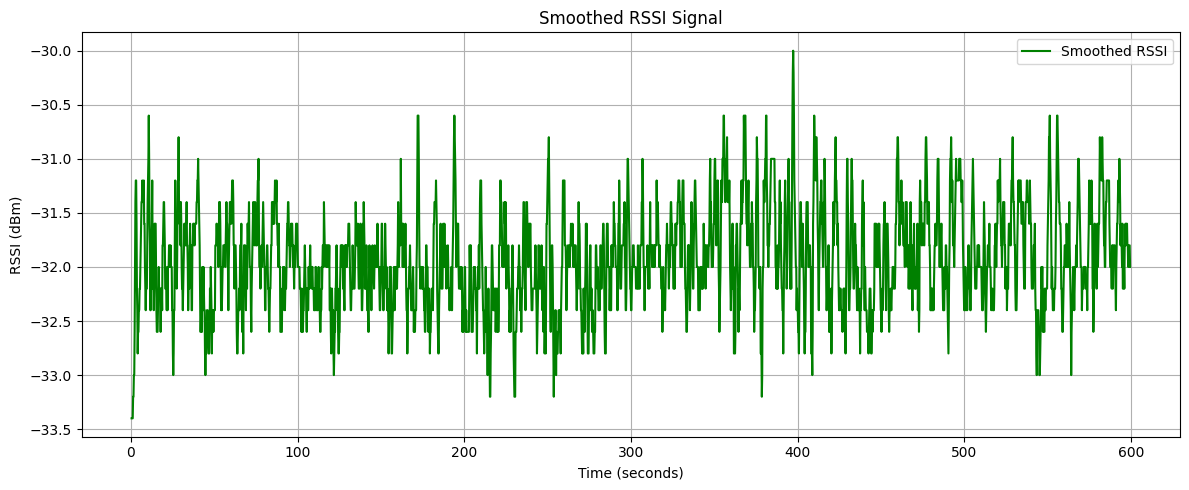
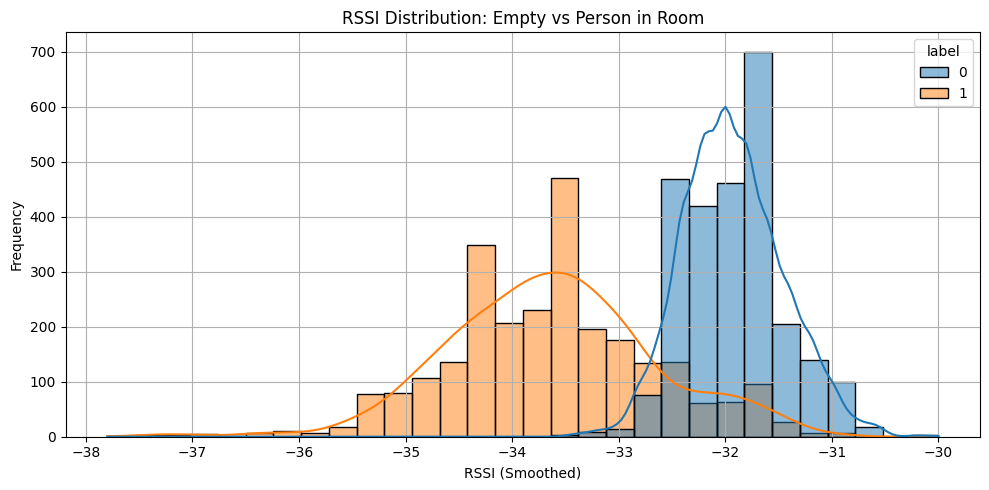
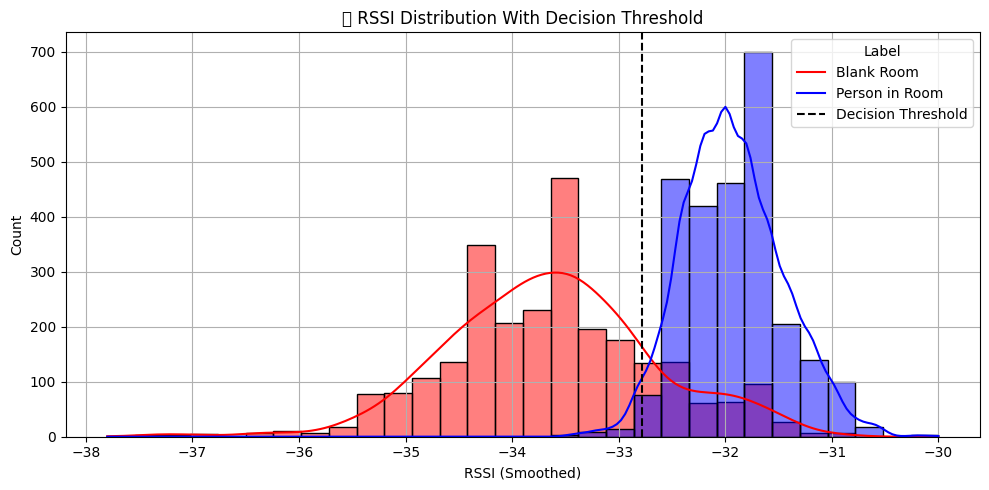
The project includes comprehensive Jupyter Notebook analysis to develop the optimal detection algorithm:
# blankroom.ipynb - Data Analysis

# Import libraries
import pandas as pd
import matplotlib.pyplot as plt
import seaborn as sns

# Load and analyze data
df_blank = pd.read_csv("blankroom.csv")
df_person = pd.read_csv("personinroom.csv")

# Combine datasets
df_all = pd.concat([df_blank, df_person], ignore_index=True)

# Preprocessing
df_all["time_s"] = (df_all["timestamp_ms"] - df_all["timestamp_ms"].min()) / 1000
df_all["rssi_avg"] = df_all["rssi"].rolling(window=5, center=True).mean()
df_all = df_all.dropna()

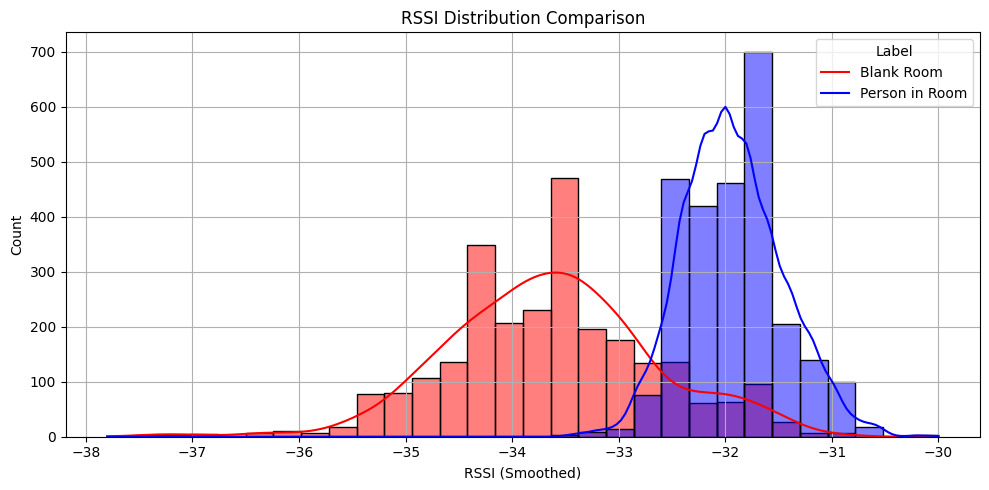
# Plot RSSI distribution
plt.figure(figsize=(10,5))
sns.histplot(data=df_all, x="rssi_avg", hue="label", bins=30, kde=True)
plt.title("RSSI Distribution: Empty vs Person in Room")
plt.xlabel("RSSI (dBm)")
plt.ylabel("Frequency")
plt.show()
Model Performance
Accuracy: 0.9006

Classification Report:
              precision  recall  f1-score  support

           0       0.88      0.92      0.90       525
           1       0.92      0.88      0.90       521

    accuracy                           0.90      1046
   macro avg       0.90      0.90      0.90      1046
weighted avg       0.90      0.90      0.90      1046
Meet the Team
This project is developed by a passionate team dedicated to advancing IoT and machine learning technologies.

Mahendra Mali
Project Lead
IoT & ML Engineer

Barot JayRajKumar
Project Lead
IoT & ML Engineer
Ready to Build Your Own?
This open-source project is available for anyone to use and modify under the MIT License.
View on GitHub